 Own product
Jarvis Voice-based personal assistant, in Romanian
The personal assistant built from scratch: you speak normally, in Romanian, and Jarvis takes notes, reminds you, does the maths, keeps track of your money and picks the right AI model by itself. We can set it up for you or for your company.
The personal version. For companies, see Jarvis for business.
Jarvis, page by page
16 pages. Below each page you will find its text, so you can read it on your phone too.
Page 1 / 16 Read the page text
Jarvis
Personal assistant · voice-driven · in Romanian
One button. You speak normally, and Jarvis takes notes, reminds you, calculates, keeps track of your money and picks the best AI model for each question on its own.
Hold and speak.
45 features ready · 26 in progress · runs on your server
Page 2 / 16 Read the page text
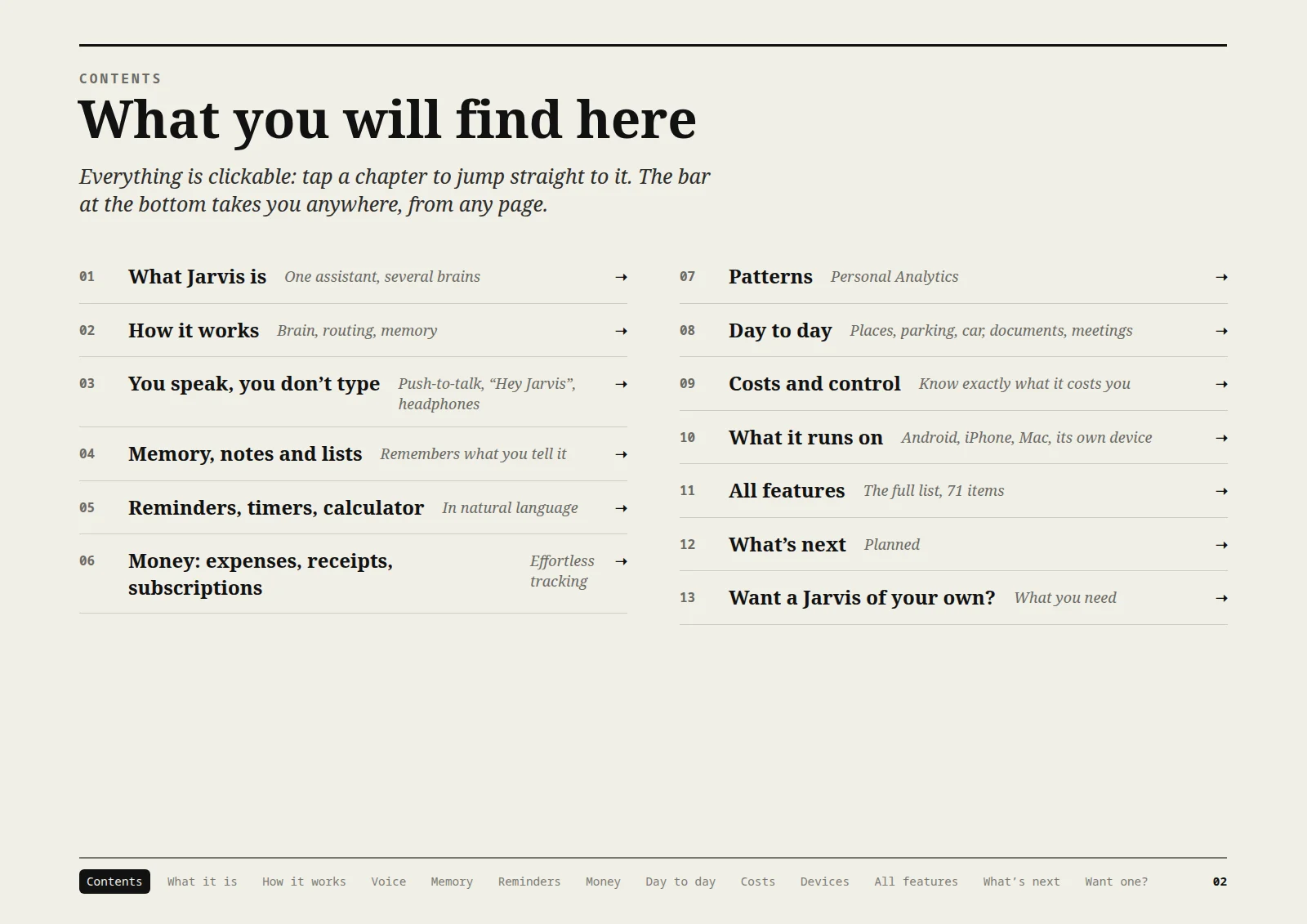
What you will find here
- 01 What Jarvis is — One assistant, several brains
- 02 How it works — Brain, routing, memory
- 03 You speak, you don’t type — Push-to-talk, “Hey Jarvis”, headphones
- 04 Memory, notes and lists — Remembers what you tell it
- 05 Reminders, timers, calculator — In natural language
- 06 Money: expenses, receipts, subscriptions — Effortless tracking
- 07 Patterns — Personal Analytics
- 08 Day to day — Places, parking, car, documents, meetings
- 09 Costs and control — Know exactly what it costs you
- 10 What it runs on — Android, iPhone, Mac, its own device
- 11 All features — The full list, 71 items
- 12 What’s next — Planned
- 13 Want a Jarvis of your own? — What you need
Page 3 / 16 Read the page text
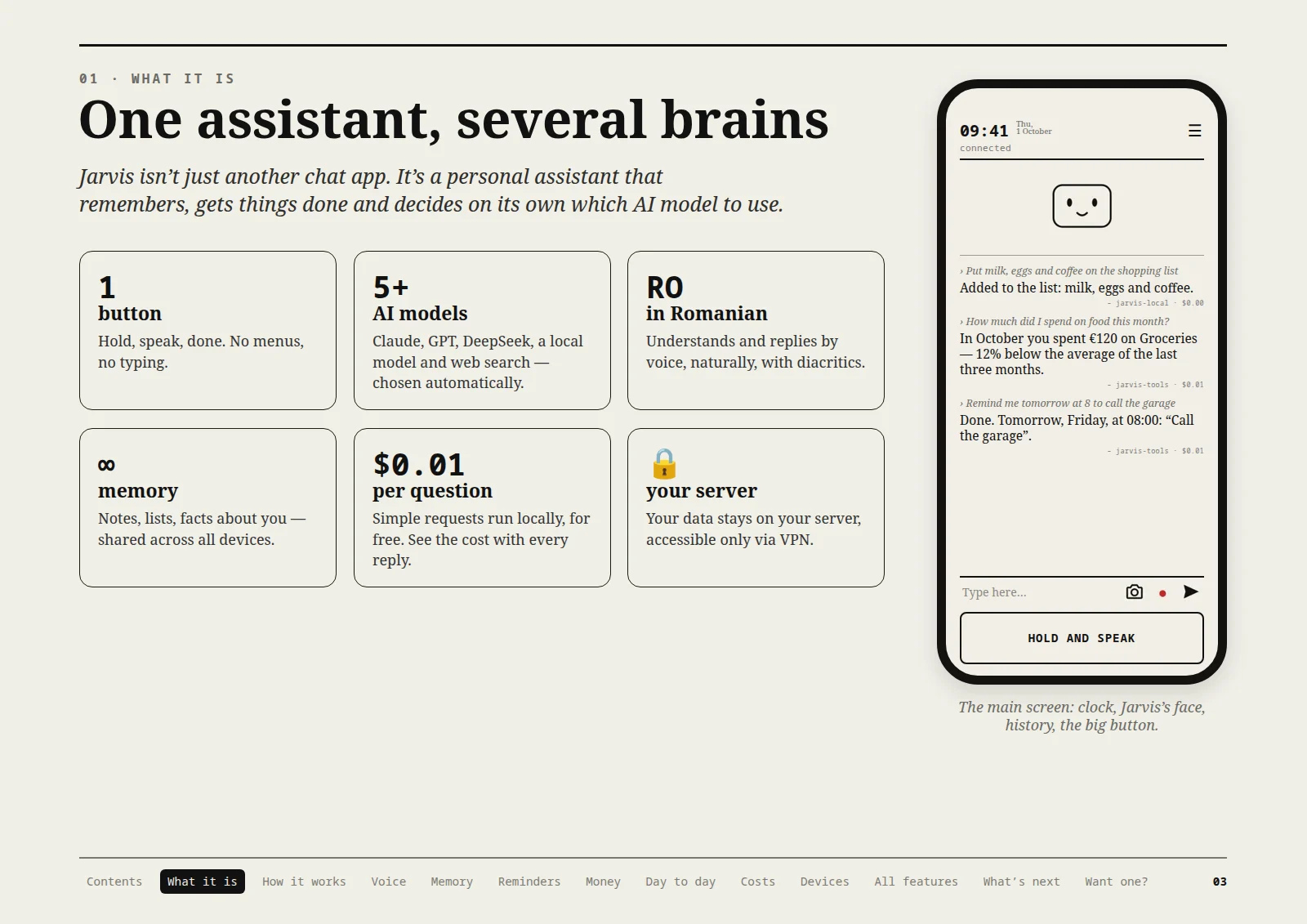
One assistant, several brains
Jarvis isn’t just another chat app. It’s a personal assistant that remembers, gets things done and decides on its own which AI model to use.
- 1 button — Hold, speak, done. No menus, no typing.
- 5+ AI models — Claude, GPT, DeepSeek, a local model and web search — chosen automatically.
- RO, in Romanian — Understands and replies by voice, naturally, with diacritics.
- ∞ memory — Notes, lists, facts about you — shared across all devices.
- $0.01 per question — Simple requests run locally, for free. See the cost with every reply.
- Your server — Your data stays on your server, accessible only via VPN.
The main screen: clock, Jarvis’s face, history, the big button.
Page 4 / 16 Read the page text
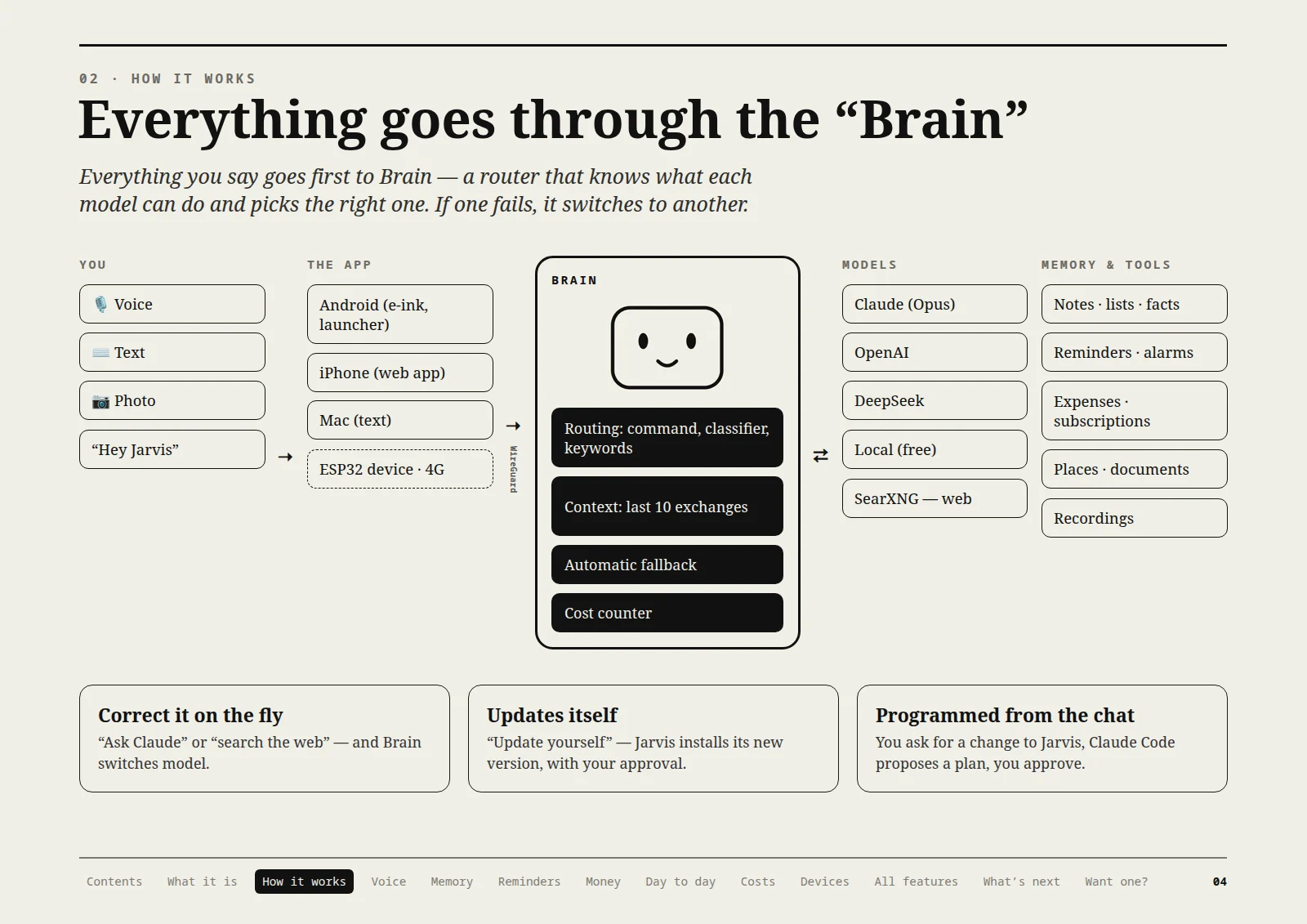
Everything goes through the “Brain”
Everything you say goes first to Brain — a router that knows what each model can do and picks the right one. If one fails, it automatically switches to another.
You
- Voice
- Text
- Photo
- “Hey Jarvis”
The app
- Android (e-ink, launcher)
- iPhone (web app)
- Mac (text)
- ESP32 device · 4G
Connection via WireGuard.
Brain
- Routing: command, classifier, keywords
- Context: last 10 exchanges
- Automatic fallback
- Cost counter
Models
- Claude (Opus)
- OpenAI
- DeepSeek
- Local (free)
- SearXNG — web
Memory and tools
- Notes · lists · facts
- Reminders · alarms
- Expenses · subscriptions
- Places · documents
- Recordings
Correct it on the fly
“Ask Claude” or “search the web” — and Brain switches model.
Updates itself
“Update yourself” — Jarvis installs its new version, with your approval.
Programmed from the chat
You ask for a change to Jarvis, Claude Code proposes a plan, you approve.
Page 5 / 16 Read the page text
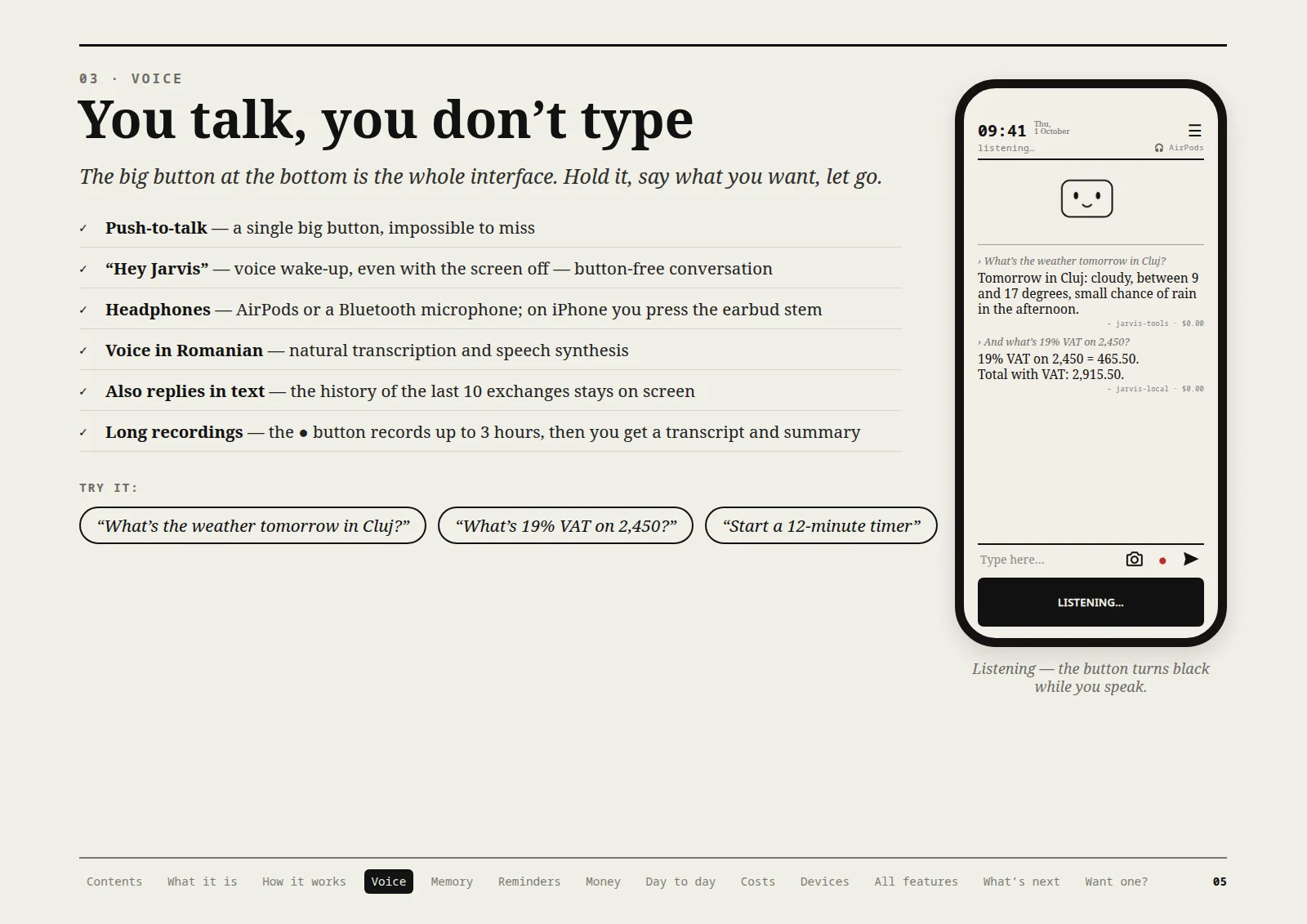
You talk, you don’t type
The big button at the bottom is the whole interface. Hold it, say what you want, let go.
- Push-to-talk — a single big button, impossible to miss
- “Hey Jarvis” — voice wake-up, even with the screen off — button-free conversation
- Headphones — AirPods or a Bluetooth microphone; on iPhone you press the earbud stem
- Voice in Romanian — natural transcription and speech synthesis
- Also replies in text — the history of the last 10 exchanges stays on screen
- Long recordings — the ● button records up to 3 hours, then you get a transcript and summary
Try it
- “What’s the weather tomorrow in Cluj?”
- “What’s 19% VAT on 2,450?”
- “Start a 12-minute timer”
Listening — the button turns black while you speak.
Page 6 / 16 Read the page text
It remembers what you tell it
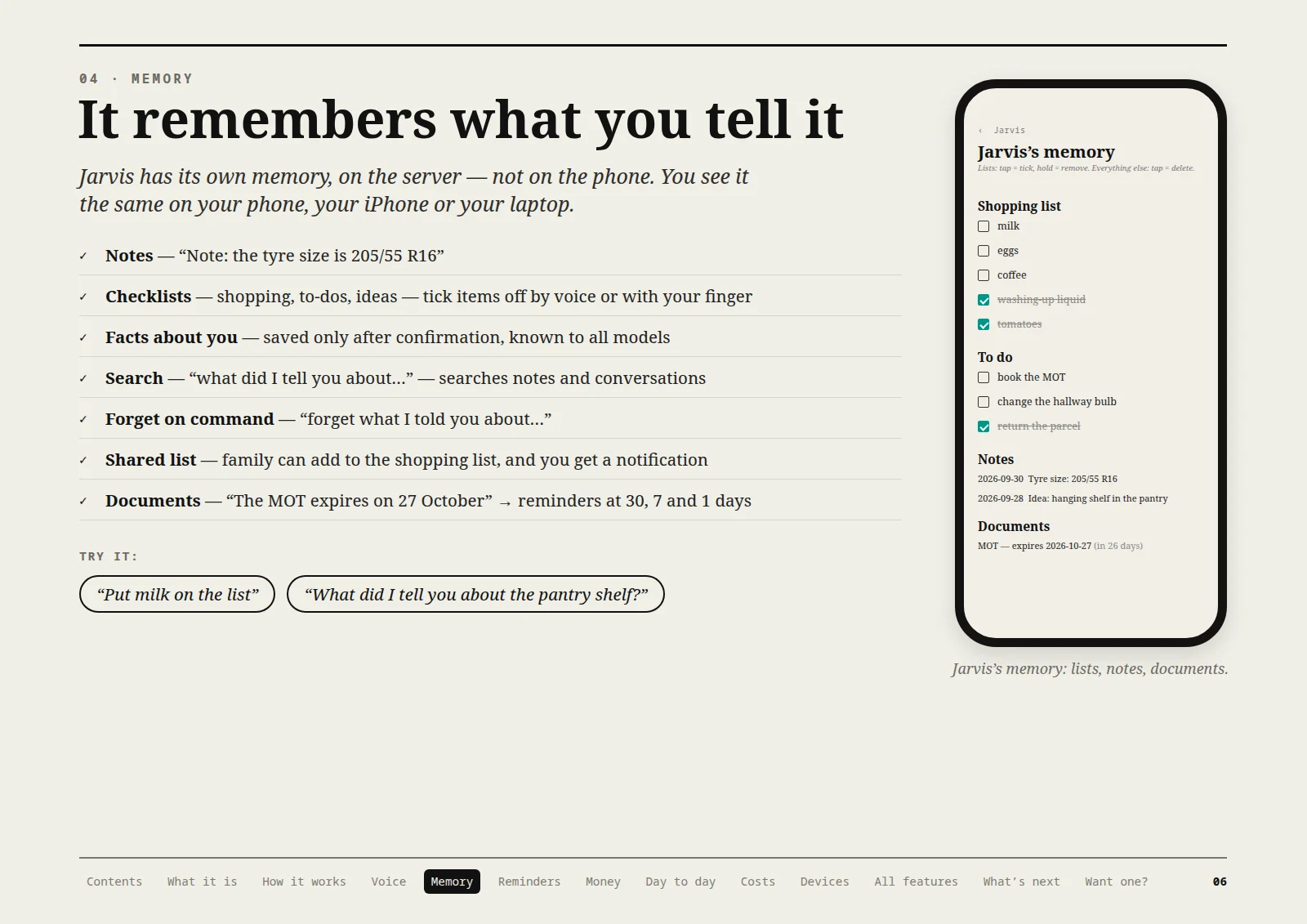
Jarvis has its own memory, on the server — not on the phone. You see it the same on your phone, your iPhone or your laptop.
- Notes — “Note: the tyre size is 205/55 R16”
- Checklists — shopping, to-dos, ideas — tick items off by voice or with your finger
- Facts about you — saved only after confirmation, known to all models
- Search — “what did I tell you about…” — searches notes and conversations
- Forget on command — “forget what I told you about…”
- Shared list — family can add to the shopping list, and you get a notification
- Documents — “The MOT expires on 27 October” → reminders at 30, 7 and 1 days
Try it
- “Put milk on the list”
- “What did I tell you about the pantry shelf?”
Jarvis’s memory: lists, notes, documents.
Page 7 / 16 Read the page text
Reminders, timers, calculator
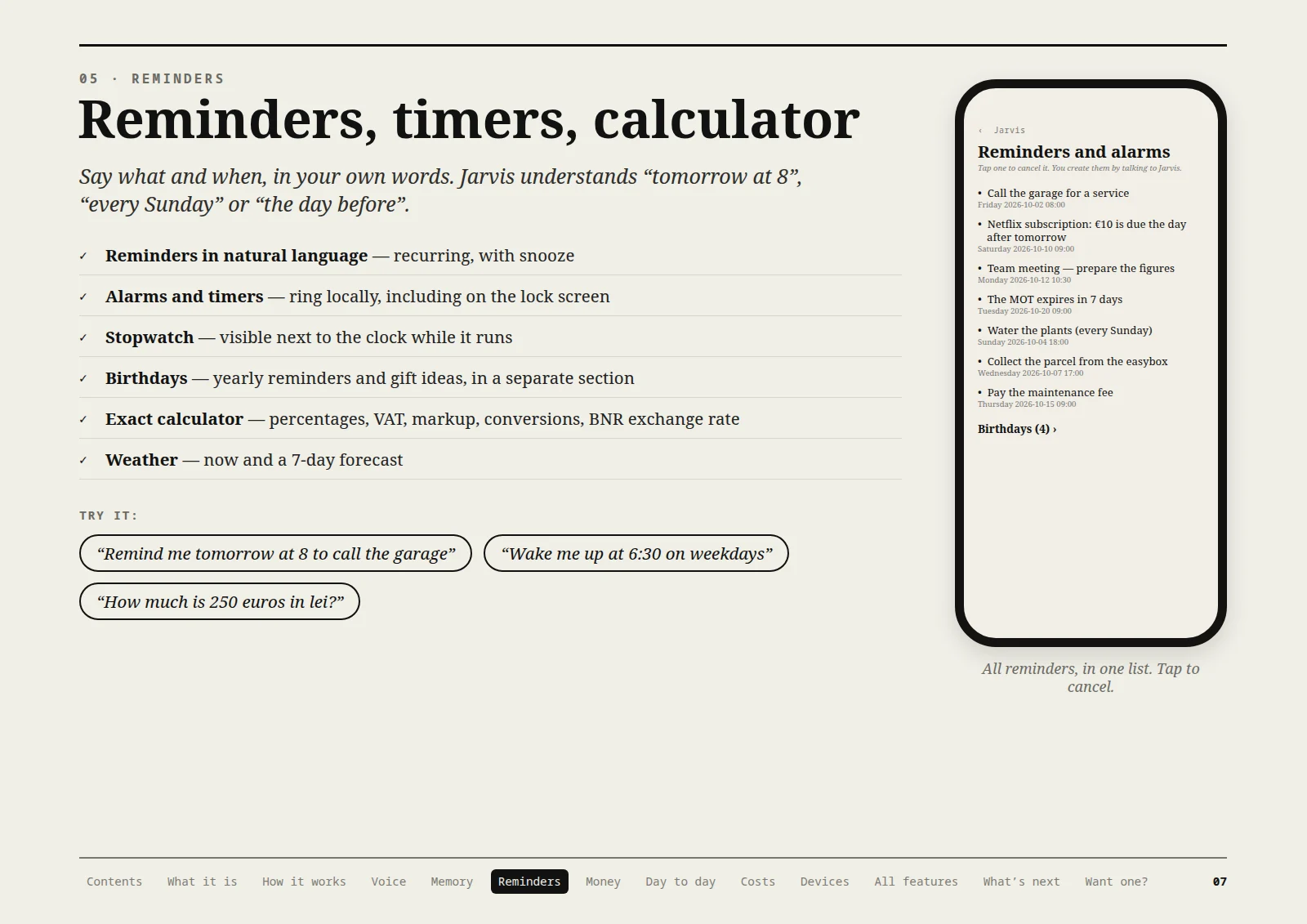
Say what and when, in your own words. Jarvis understands “tomorrow at 8”, “every Sunday” or “the day before”.
- Reminders in natural language — recurring, with snooze
- Alarms and timers — ring locally, including on the lock screen
- Stopwatch — visible next to the clock while it runs
- Birthdays — yearly reminders and gift ideas, in a separate section
- Exact calculator — percentages, VAT, markup, conversions, BNR exchange rate
- Weather — now and a 7-day forecast
Try it
- “Remind me tomorrow at 8 to call the garage”
- “Wake me up at 6:30 on weekdays”
- “How much is 250 euros in lei?”
All reminders, in one list. Tap to cancel.
Page 8 / 16 Read the page text
Effortless expense tracking
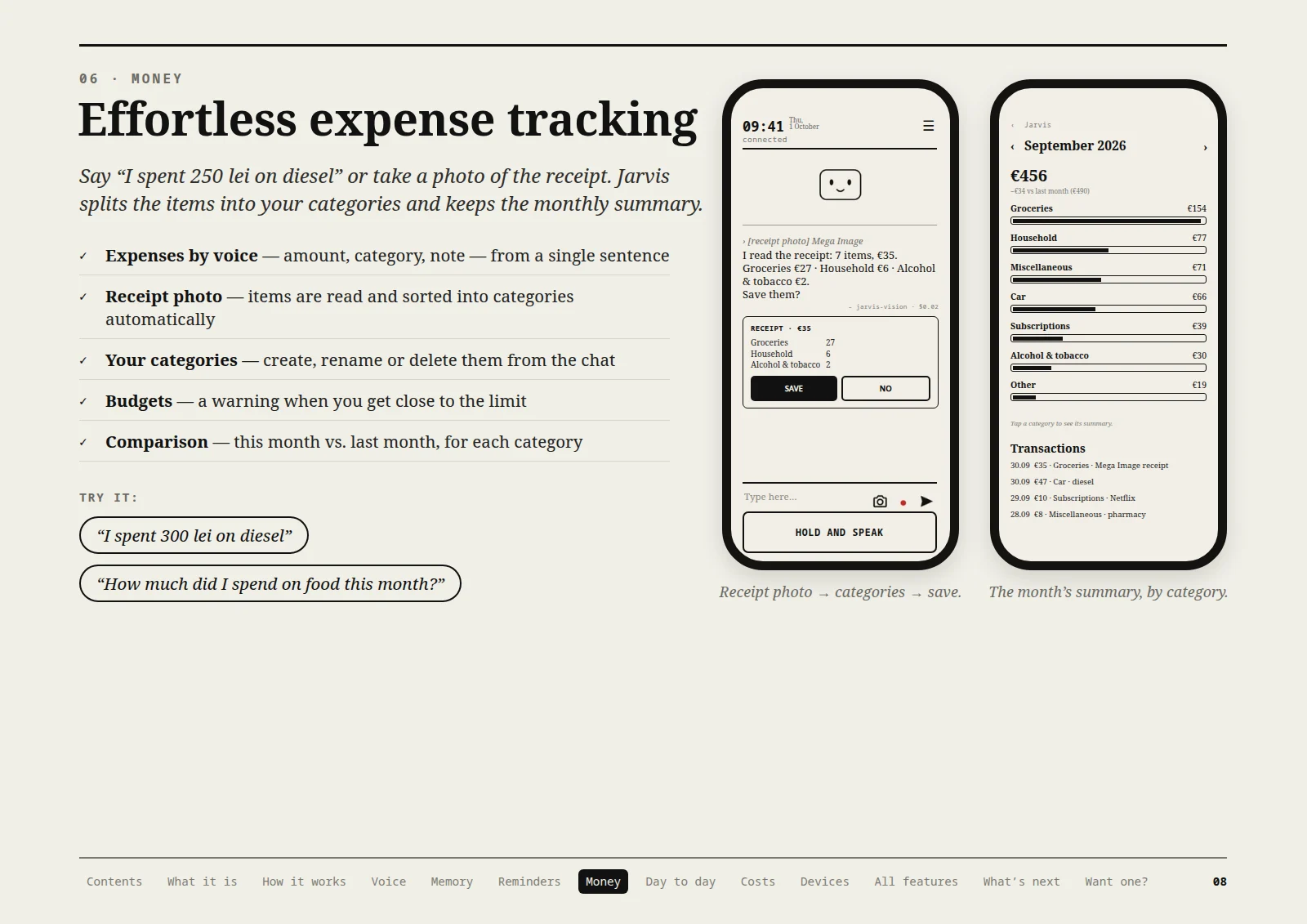
Say “I spent €47 on diesel” or take a photo of the receipt. Jarvis splits the items into your categories and keeps the monthly summary.
- Expenses by voice — amount, category, note — from a single sentence
- Receipt photo — items are read and sorted into categories automatically
- Your categories — create, rename or delete them from the chat
- Budgets — a warning when you get close to the limit
- Comparison — this month vs. last month, for each category
Try it
- “I spent €56 on diesel”
- “How much did I spend on food this month?”
Receipt photo → categories → save.
The month’s summary, by category.
Page 9 / 16 Read the page text
It sees what you don’t
Subscriptions and patterns
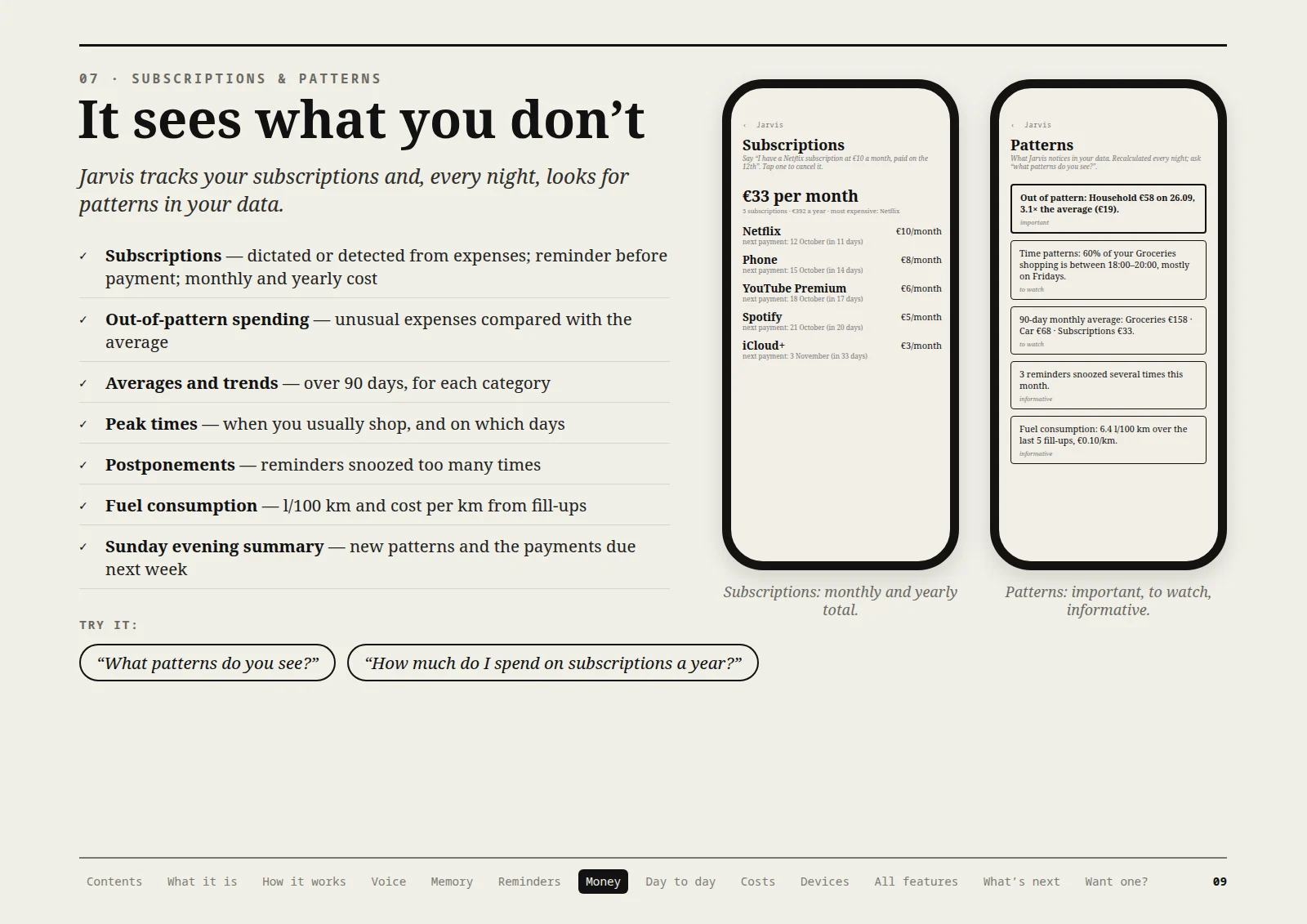
Jarvis tracks your subscriptions and, every night, looks for patterns in your data.
- Subscriptions — dictated or detected from expenses; reminder before payment; monthly and yearly cost
- Out-of-pattern spending — unusual expenses compared with the average
- Averages and trends — over 90 days, for each category
- Peak times — when you usually shop, and on which days
- Postponements — reminders snoozed too many times
- Fuel consumption — l/100 km and cost per km from fill-ups
- Sunday evening summary — new patterns and the payments due next week
Try it
- “What patterns do you see?”
- “How much do I spend on subscriptions a year?”
Subscriptions: monthly and yearly total.
Patterns: important, to watch, informative.
Page 10 / 16 Read the page text
Small, but useful every day
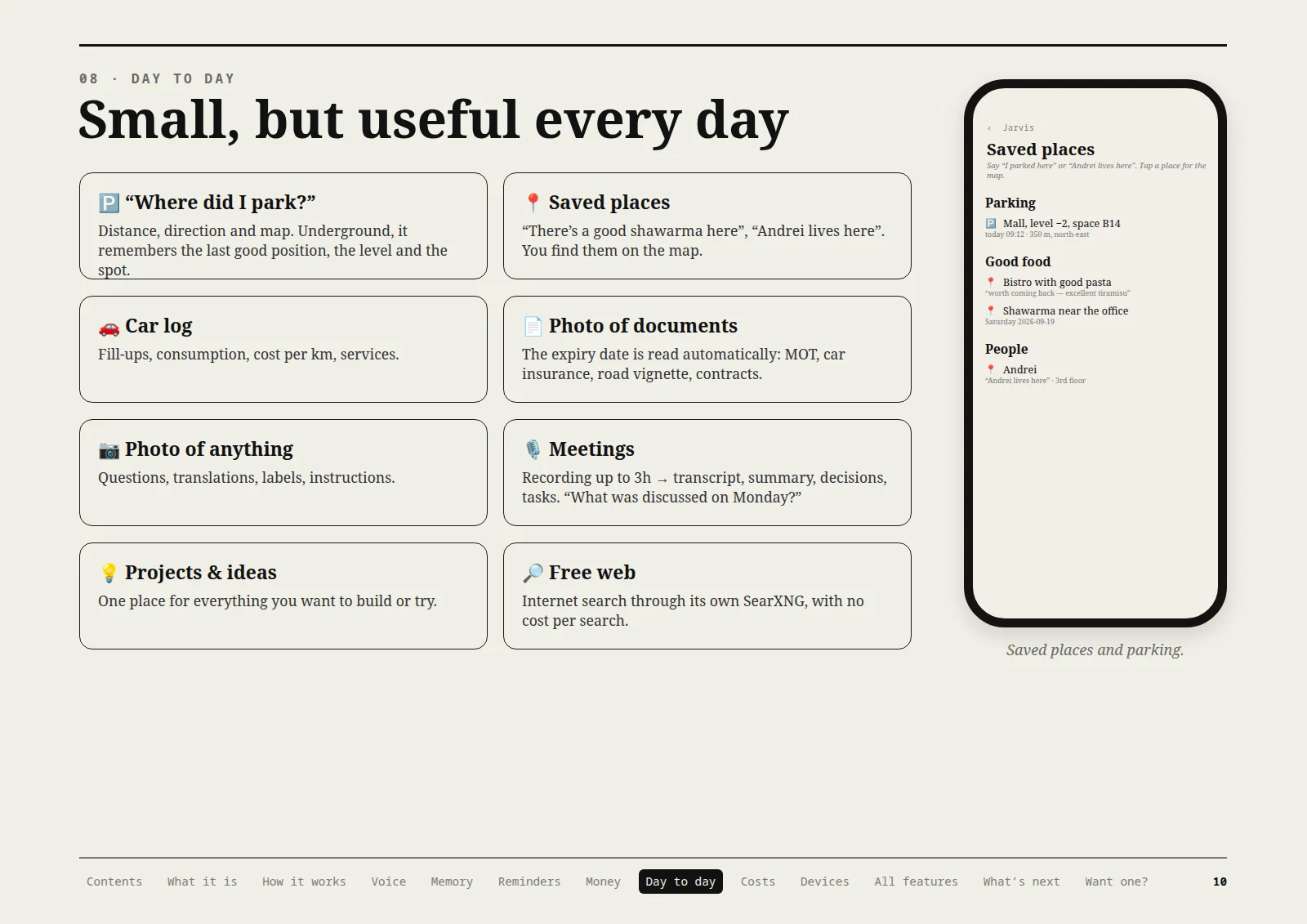
“Where did I park?”
Distance, direction and map. Underground, it remembers the last good position, the level and the spot.
Saved places
“There’s a good shawarma here”, “Andrei lives here”. You find them on the map.
Car log
Fill-ups, consumption, cost per km, services.
Photo of documents
The expiry date is read automatically: MOT, car insurance, road vignette, contracts.
Photo of anything
Questions, translations, labels, instructions.
Meetings
Recording up to 3h → transcript, summary, decisions, tasks. “What was discussed in Monday’s meeting?”
Projects & ideas
One place for everything you want to build or try.
Free web
Internet search through its own SearXNG, with no cost per search.
Saved places and parking.
Page 11 / 16 Read the page text
You know exactly what it costs you
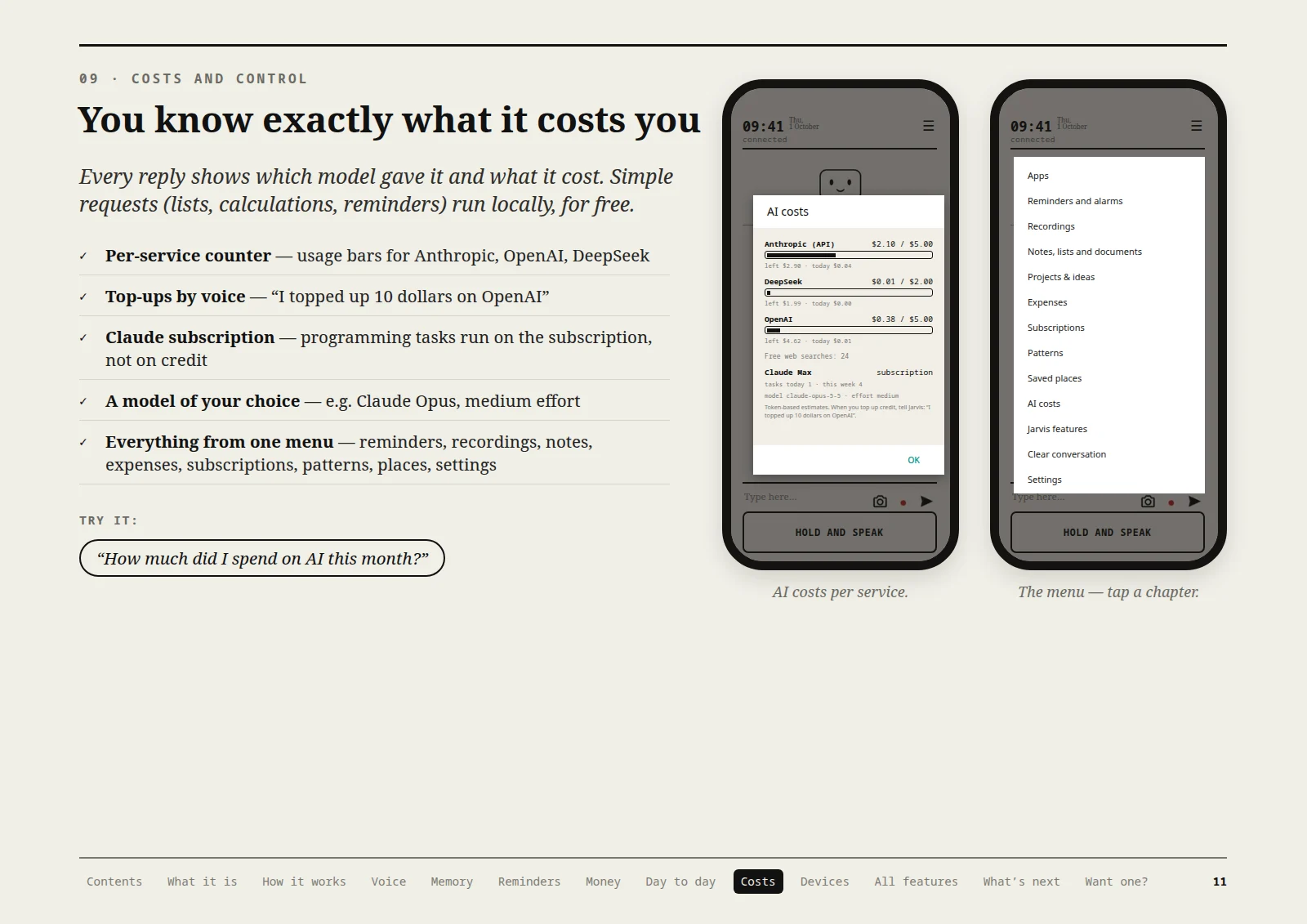
Every reply shows which model gave it and what it cost. Simple requests (lists, calculations, reminders) run locally, for free.
- Per-service counter — usage bars for Anthropic, OpenAI, DeepSeek
- Top-ups by voice — “I topped up 10 dollars on OpenAI”
- Claude subscription — programming tasks run on the subscription, not on credit
- A model of your choice — e.g. Claude Opus, medium effort
- Everything from one menu — reminders, recordings, notes, expenses, subscriptions, patterns, places, settings
Try it
- “How much did I spend on AI this month?”
AI costs per service.
The menu — tap a chapter.
Page 12 / 16 Read the page text
The same Jarvis, everywhere
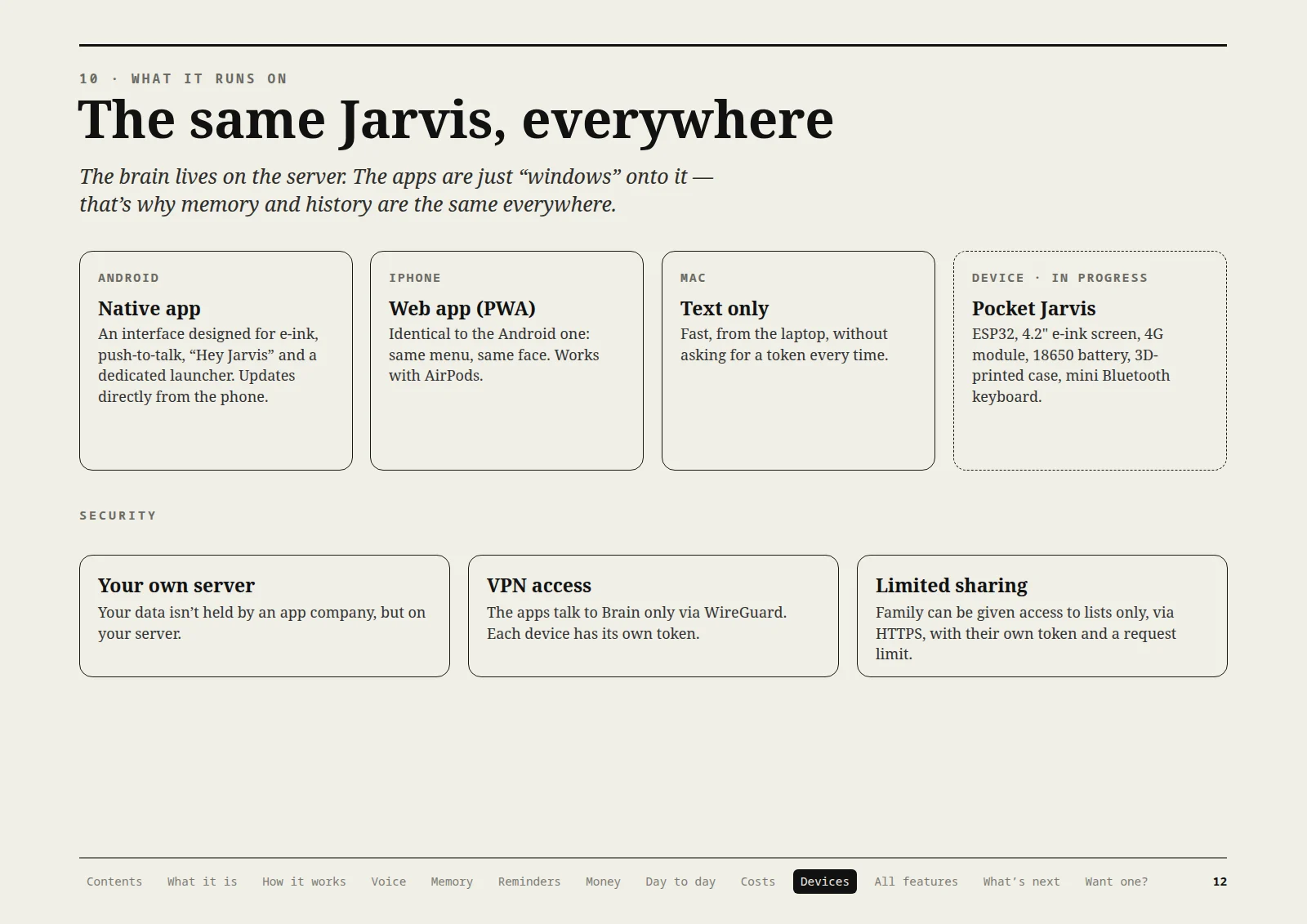
The brain lives on the server. The apps are just “windows” onto it — that’s why memory and history are the same everywhere.
Android — Native app
An interface designed for e-ink, push-to-talk, “Hey Jarvis” and a dedicated launcher. Updates directly from the phone.
iPhone — Web app (PWA)
Identical to the Android one: same menu, same face. Works with AirPods.
Mac — Text only
Fast, from the laptop, without asking for a token every time.
Device (in progress) — Pocket Jarvis
ESP32, 4.2" e-ink screen, 4G module, 18650 battery, 3D-printed case, mini Bluetooth keyboard.
Security
- Your own server — Your data isn’t held by an app company, but on your server.
- VPN access — The apps talk to Brain only via WireGuard. Each device has its own token.
- Limited sharing — Family can be given access to lists only, via HTTPS, with their own token and a request limit.
Page 13 / 16 Read the page text
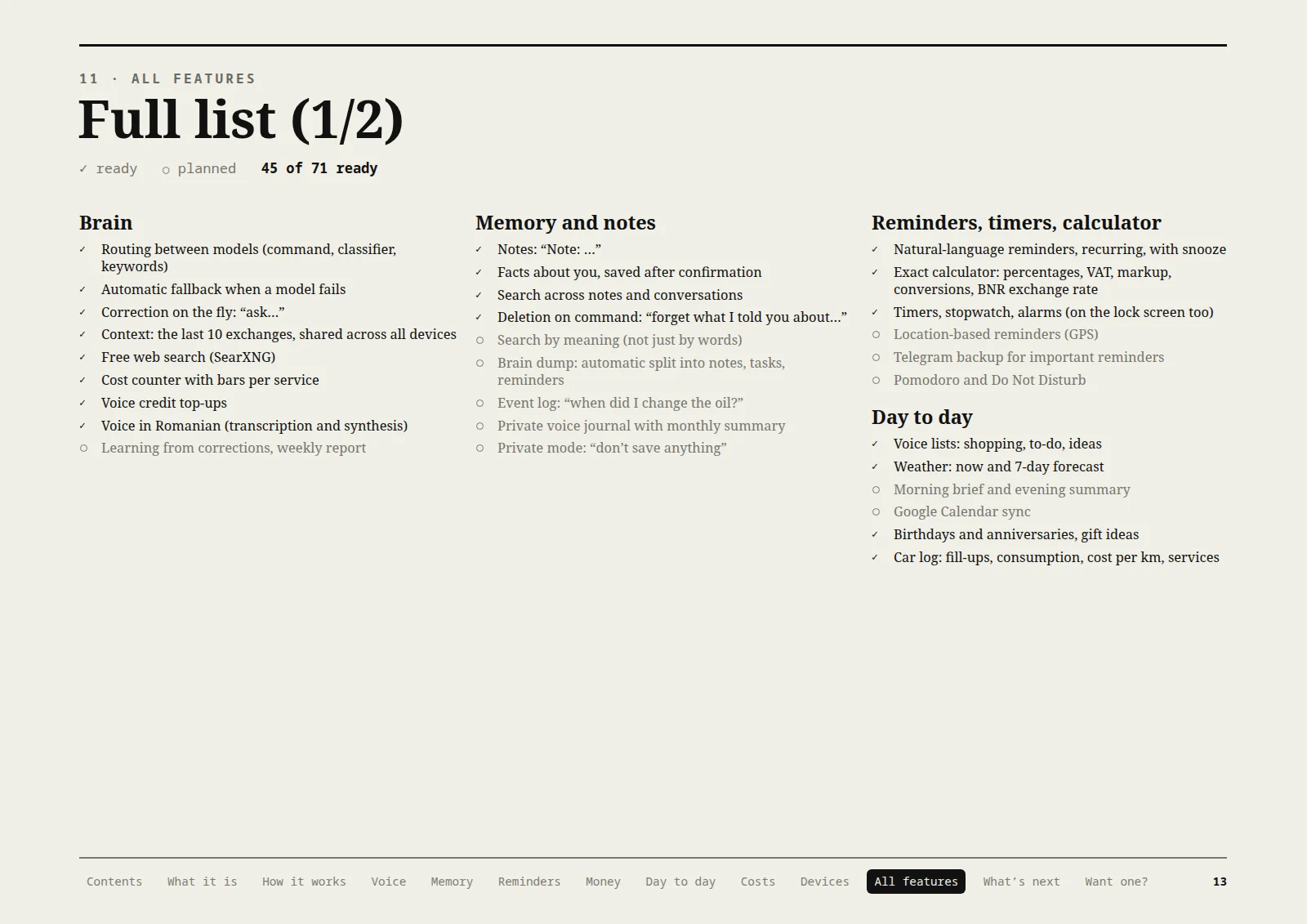
Full list (1/2)
All features: 45 of 71 ready.
Brain
- Routing between models (command, classifier, keywords)
- Automatic fallback when a model fails
- Correction on the fly: “ask…”
- Context: the last 10 exchanges, shared across all devices
- Free web search (SearXNG)
- Cost counter with bars per service
- Voice credit top-ups
- Voice in Romanian (transcription and synthesis)
- Learning from corrections, weekly report (planned)
Memory and notes
- Notes: “Note: …”
- Facts about you, saved after confirmation
- Search across notes and conversations
- Deletion on command: “forget what I told you about…”
- Search by meaning (not just by words) (planned)
- Brain dump: automatic split into notes, tasks, reminders (planned)
- Event log: “when did I change the oil?” (planned)
- Private voice journal with monthly summary (planned)
- Private mode: “don’t save anything” (planned)
Reminders, timers, calculator
- Natural-language reminders, recurring, with snooze
- Exact calculator: percentages, VAT, markup, conversions, BNR exchange rate
- Timers, stopwatch, alarms (on the lock screen too)
- Location-based reminders (GPS) (planned)
- Telegram backup for important reminders (planned)
- Pomodoro and Do Not Disturb (planned)
Day to day
- Voice lists: shopping, to-do, ideas
- Weather: now and 7-day forecast
- Morning brief and evening summary (planned)
- Google Calendar sync (planned)
- Birthdays and anniversaries, gift ideas
- Car log: fill-ups, consumption, cost per km, services
Page 14 / 16 Read the page text
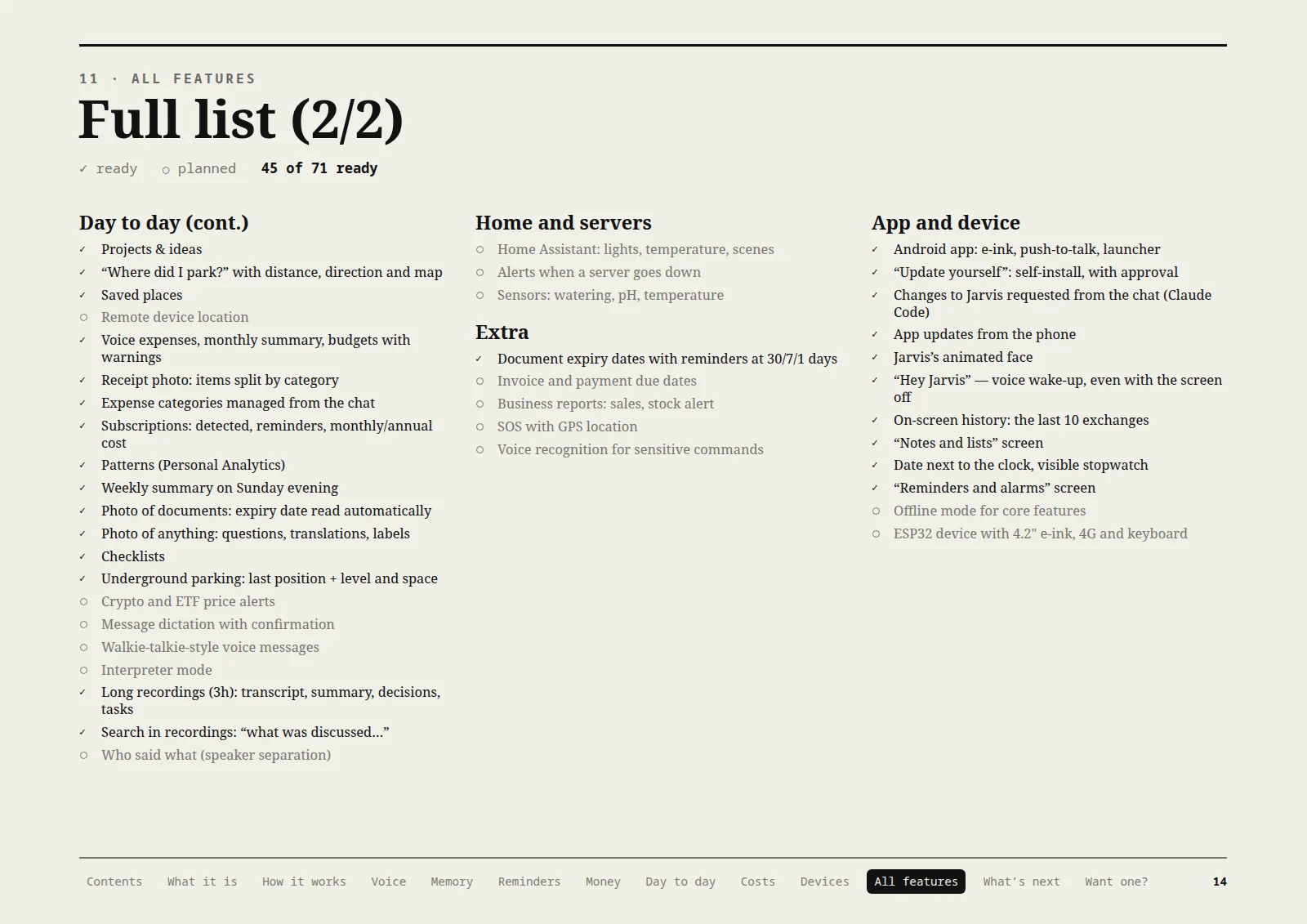
Full list (2/2)
All features: 45 of 71 ready.
Day to day (cont.)
- Projects & ideas
- “Where did I park?” with distance, direction and map
- Saved places
- Remote device location (planned)
- Voice expenses, monthly summary, budgets with warnings
- Photo of a receipt: items split by category
- Expense categories managed from the chat
- Subscriptions: detected, reminders, monthly/annual cost
- Patterns (Personal Analytics)
- Weekly summary on Sunday evening
- Photo of documents: expiry date read automatically
- Photo of anything: questions, translations, labels
- Checklists
- Underground parking: last position + level and space
- Crypto and ETF price alerts (planned)
- Message dictation with confirmation (planned)
- Walkie-talkie-style voice messages (planned)
- Interpreter mode (planned)
- Long recordings (3h): transcript, summary, decisions, tasks
- Search in recordings: “what was discussed…”
- Who said what (speaker separation) (planned)
Home and servers
- Home Assistant: lights, temperature, scenes (planned)
- Alerts when a server goes down (planned)
- Sensors: watering, pH, temperature (planned)
Extra
- Document expiry dates with reminders at 30/7/1 days
- Invoice and payment due dates (planned)
- Business reports: sales, stock alert (planned)
- SOS with GPS location (planned)
- Voice recognition for sensitive commands (planned)
App and device
- Android app: e-ink, push-to-talk, launcher
- “Update yourself”: self-install, with approval
- Changes to Jarvis requested from the chat (Claude Code)
- App updates from the phone
- Jarvis’s animated face
- “Hey Jarvis” — voice wake-up, even with the screen off
- On-screen history: the last 10 exchanges
- “Notes and lists” screen
- Date next to the clock, visible stopwatch
- “Reminders and alarms” screen
- Offline mode for core features (planned)
- ESP32 device with 4.2" e-ink, 4G and keyboard (planned)
Page 15 / 16 Read the page text
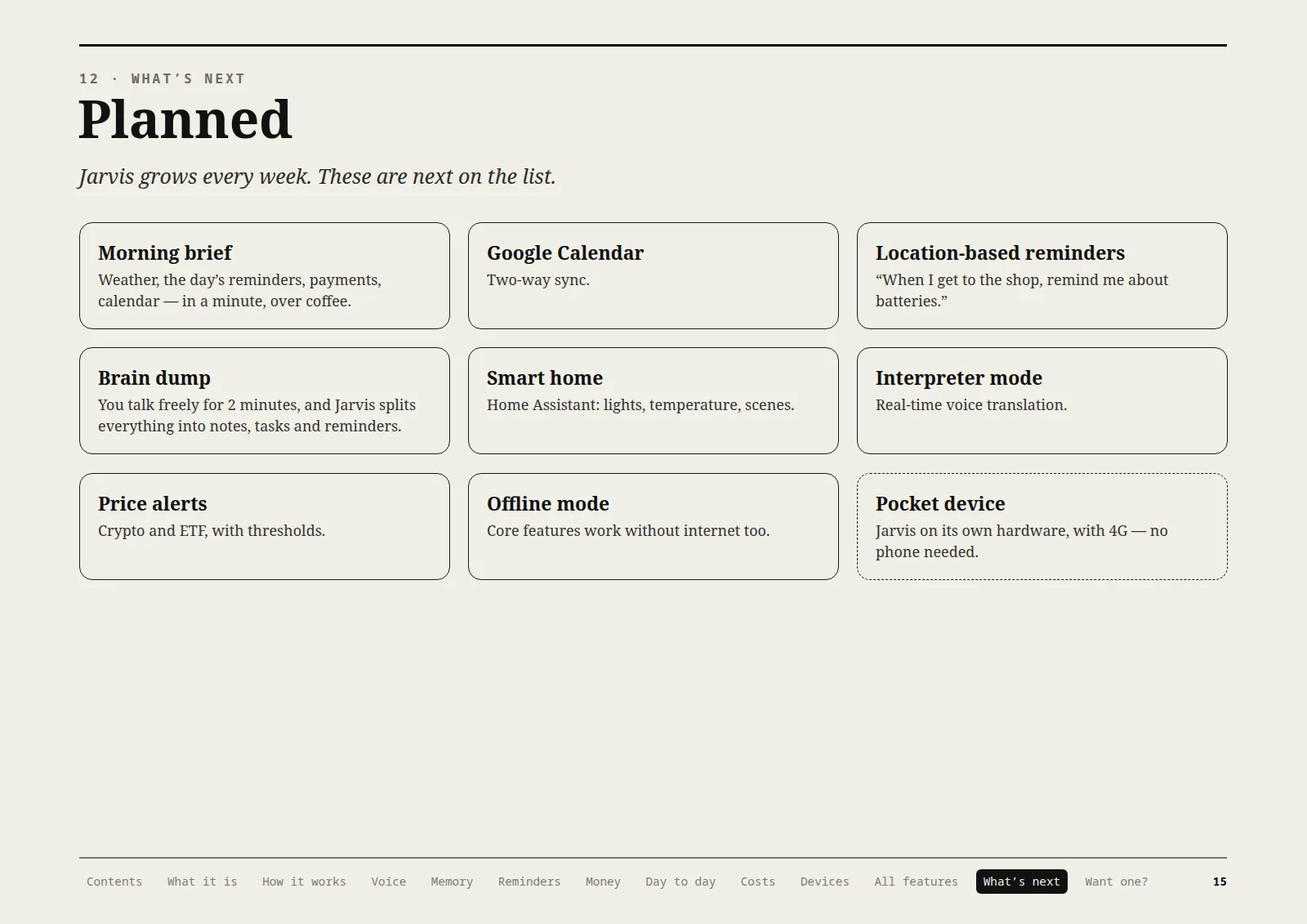
Planned
What’s next
Jarvis grows every week. These are next on the list.
Morning brief
Weather, the day’s reminders, payments, calendar — in a minute, over coffee.
Google Calendar
Two-way sync.
Location-based reminders
“When I get to the shop, remind me about batteries.”
Brain dump
You talk freely for 2 minutes, and Jarvis splits everything into notes, tasks and reminders.
Smart home
Home Assistant: lights, temperature, scenes.
Interpreter mode
Real-time voice translation.
Price alerts
Crypto and ETF, with thresholds.
Offline mode
Core features work without internet too.
Pocket device
Jarvis on its own hardware, with 4G — no phone needed.
Page 16 / 16 Read the page text
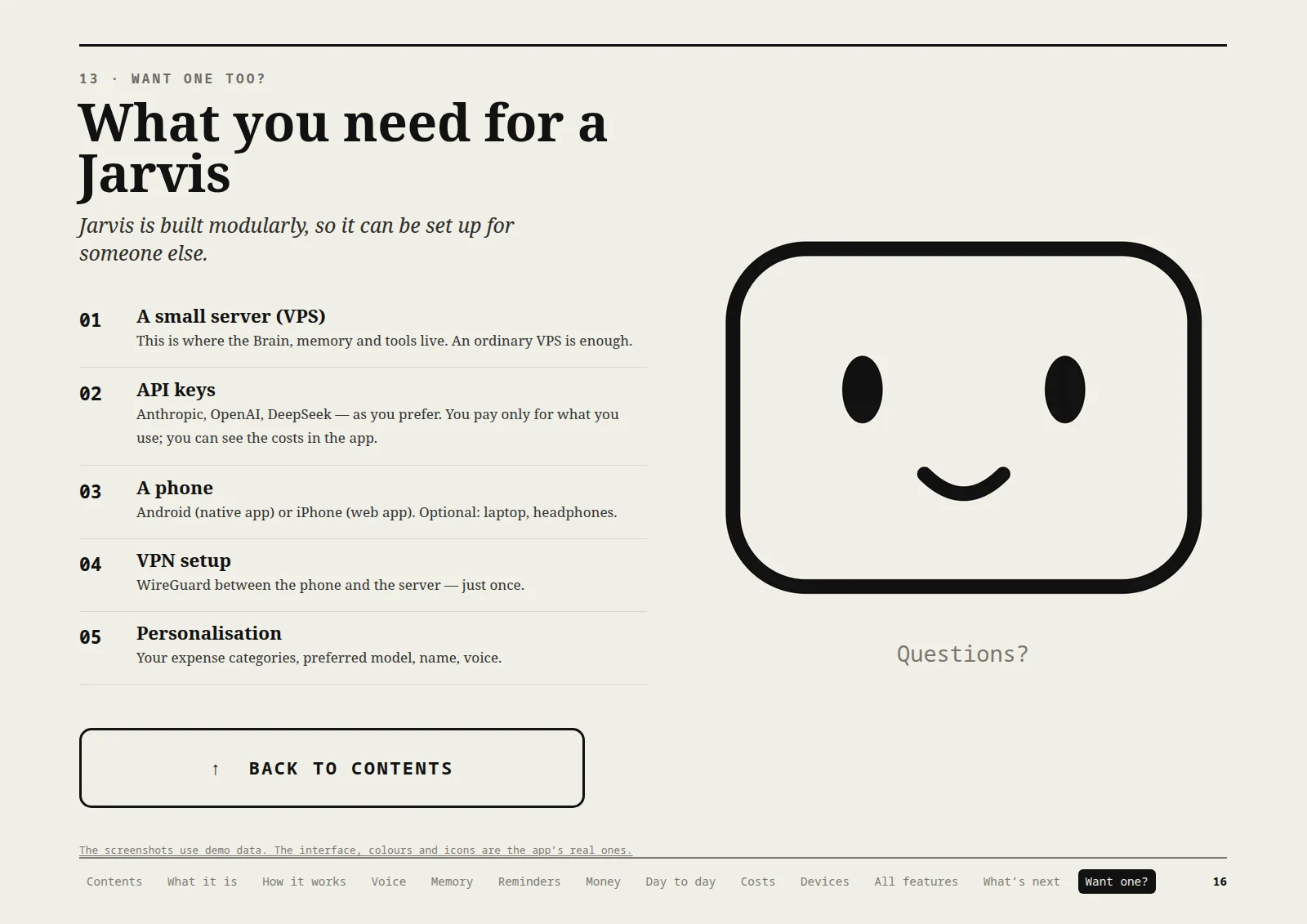
What you need for a Jarvis
Jarvis is built modularly, so it can be set up for someone else.
01. A small server (VPS)
This is where the Brain, memory and tools live. An ordinary VPS is enough.
02. API keys
Anthropic, OpenAI, DeepSeek — as you prefer. You pay only for what you use; you can see the costs in the app.
03. A phone
Android (native app) or iPhone (web app). Optional: laptop, headphones.
04. VPN setup
WireGuard between the phone and the server — just once.
05. Personalisation
Your expense categories, preferred model, name, voice.
Questions?
The screenshots use demo data. The interface, colours and icons are the app’s real ones.
