
Service · Personal assistant

A personal dashboard with everything you want to see at a glance

A page of your own with calendar, weather, expenses, device status and any other information you use.

Indicative pricePrice on request

We set the price once we understand your requirements.

Together we choose what you want to have to hand and bring the information together on a single page, accessible from your phone or from a screen at home. It can be linked to your personal assistant and your devices, where the sources allow a connection.

How it works, step by step

A dashboard is a page with several cards, each showing information from a different app: agenda, weather, expenses, devices. The idea is to see your day at a glance, without opening ten apps.

Illustrative diagram of how it works.
  1. What you tell us

    You choose what you want to see

    You make a list of what matters to you: the day’s schedule, the weather, the month’s expenses or the status of certain devices. We start with a few cards and add more along the way.

  2. What we prepare

    We connect the sources and arrange the cards

    We link each card to its source and place it on the page, for a phone or for a screen at home. Some sources allow read-only access, and other cards can stay private.

  3. How it works

    The data refreshes by itself

    The page updates its information from the connected sources, as often as they allow. If a source does not respond, the card shows that, rather than an old value presented as new.

  4. What you get

    You open the page and see everything

    You log in with a password from your phone or tablet and see the cards, each with the time of its last update. Anyone without access sees nothing, and you can restrict what appears on the screen at home.

Illustrative example: how it could work

Imagine a page with four cards: the day’s agenda, the weather, the month’s expenses and the router status. If the expenses app stops responding, that card shows “unavailable”, and the rest of the page keeps working.

The dashboard shows only what the connected sources expose; some apps do not allow connection or limit it, and values may be delayed. Access is restricted by login, but a screen left in view at home shows whatever it was set to display.

Proven experience

We have already built something similar

Discover real products and projects we have delivered, with detailed presentations.

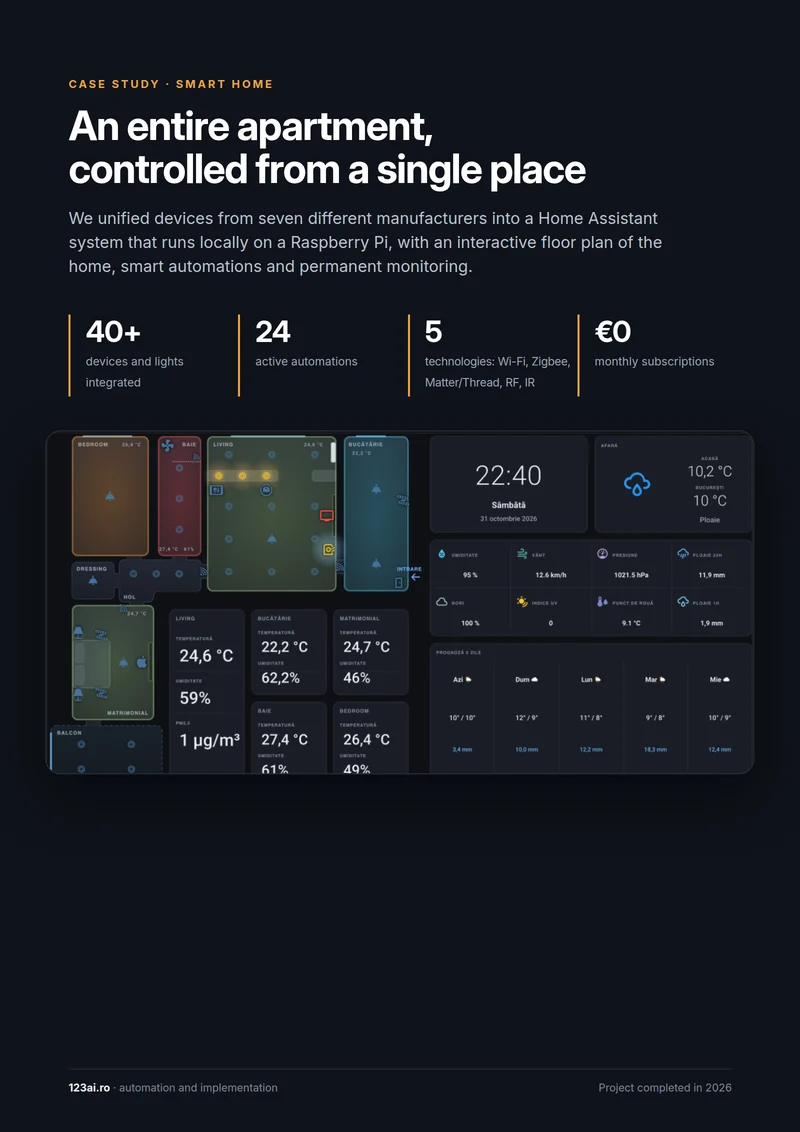
First page of the Smart Home presentation
Project delivered for a client

Smart Home

An entire apartment, controlled from a single place

An apartment with a separate app for each manufacturer, switches with no feedback and sensors that froze in the cloud has become a single, locally controlled system: a live floor plan of the home on desktop and phone, automations based on sensors, schedules and buttons, notifications when something goes wrong, and secure access from anywhere.

Who it is for

People juggling several apps who want an overview without opening ten apps.

What it solves

  • Information scattered across different apps.
  • No quick view of the day or the home.
  • Data that could be linked together.

What is included

  • Choosing and arranging the widgets
  • Connecting the data sources
  • Secure access from phone or tablet
  • Version for a dedicated screen, on request

Examples of use

Home and calendar

The day’s schedule, indoor temperatures and device status on the same page.

Personal projects

Project status, deadlines and monthly expenses in a simple board.

Related services

Let's talk

Interested in Personal dashboard?

Tell us what you need and we will propose a tailored solution, with a clear price.

CallRequest a quote