Service · Stock, orders and logistics

Low stock alerts and restocking suggestions

You get a warning when a product falls below the set threshold, before you run out.

Indicative pricePrice on request

We set the price once we understand your requirements.

We set thresholds per product or category. When stock falls below the threshold, the person responsible receives an alert, and the system can prepare a suggested order to the supplier based on the rate of sales. The suggestion is an estimate, and the order is only sent after your approval.

How it works, step by step

The stock threshold is the number of units below which you want to be notified, so you can reorder in time. Without an alert, you only find out you have run out of a product when a customer asks for it. The service tracks stock against the threshold and suggests an order quantity based on how fast the product sells, while you decide whether and what to order from the supplier.

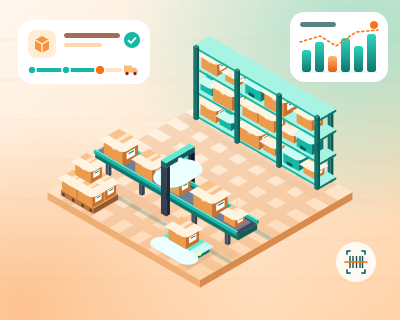
Illustrative diagram of how it works.
  1. What you tell us

    You tell us which products must never run out

    Together we choose the important products or categories, and you tell us how long it takes to receive goods from each supplier. A product delivered in three days needs a different threshold from one that takes three weeks.

  2. What we prepare

    We set the thresholds and rules

    For each product or category we set the threshold and, where needed, different thresholds by season, so you do not order for summer in the middle of winter. We decide who receives the alert and on which channel: email or WhatsApp, if recipients have agreed and the platform allows the message.

  3. How it works

    Stock drops below the threshold, a suggestion follows

    When stock falls below the threshold, the person responsible receives an alert. The system calculates an order quantity from the recent sales rate and the season, presents it as a suggestion and shows the data it is based on. If the history is too short or unusual, it says so.

  4. What you get

    You approve the order, nothing goes out by itself

    The proposed supplier order becomes final only after your approval, when you can change the quantity or reject it. You also see a list of products that have sat unsold for a long time, so you don’t buy more of what you already have in excess.

Illustrative example: how it could work

Imagine an office supplies shop that receives goods within five days. Copier paper falls below the threshold, the person responsible receives an email, and the system suggests a quantity based on sales over the last few months. The person reduces the quantity, knowing that a large school won’t be ordering this month, and then sends the order to the supplier.

The suggestion is an estimate based on past data, not a reliable forecast: promotions, the weather or an unexpected large order can change it. Alerts depend on the accuracy of the stock in the system. WhatsApp messages require an authorised channel and compliance with the platform’s rules. We do not send orders to suppliers or commit money without your approval, and we do not make up supplier prices.

Proven experience

We have already built something similar

Discover real products and projects we have delivered, with detailed presentations.

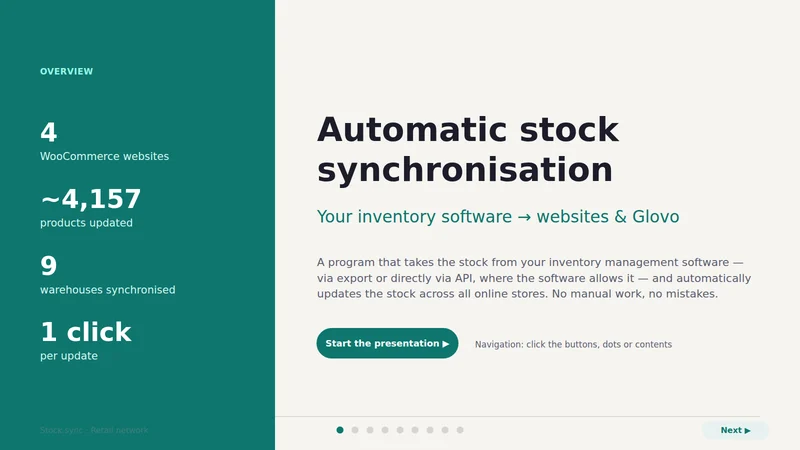
First page of the Stock sync presentation
Product developed by us

Stock sync

Inventory management software → online shops and Glovo

Stock from the inventory management software flows automatically to all online shops and to Glovo, via export or directly via API. No manual work, no products sold that are no longer in stock. Below is the presentation of the project delivered for a retail network.

Who it is for

Businesses with fast-moving stock, where running out of a key product means lost sales.

What it solves

  • Discovering a shortage only when an order comes in.
  • Supplier orders based on gut feeling.
  • Stock tied up in products that don’t sell.

What is included

  • Thresholds per product, category or supplier
  • Alerts by email or, where permitted, WhatsApp (with consent and in line with the platform’s rules)
  • Suggested order to the supplier, approved by you before it is sent
  • List of products with excess stock

Examples of use

Consumables

Alert at the threshold and a suggested quantity based on consumption over recent months.

Seasonal products

Different thresholds by period, so you don't over-order outside the season.

Guides useful

Related services

Let's talk

Interested in Low stock alerts?

Tell us what you need and we will propose a tailored solution, with a clear price.

CallRequest a quote
