CRM and invoicing
When a quote is accepted, the client and products are passed to the invoicing software.
Your company's software starts passing data along on its own, with fewer exports, less manual entry and less retyping.
We set the price once we understand your requirements.
We identify where data is copied by hand between programs and build the connections: via API, webhooks or files, only where the software allows it. Each integration has clear rules and monitoring, so you know when something isn't working. Access is set up with the necessary permissions and agreements, and licences for the connected software remain your cost.
If you enter the same customer once in the CRM (the software with your customers) and again in the shop or in invoicing, you get double work and mistakes. An integration makes the programs send data to each other automatically. It is usually done through an API (a “door” through which one program lets another read or send data) or a webhook (an automatic message one program sends as soon as something happens).
You tell us which software you use, for example a CRM and an online shop, and which data you retype: customers, orders, products. First we check whether each program offers an API or webhook and what access you can give us.
The same thing has a different name in each program: “Company name” in one, “Company” in the other. Together we note which field goes where and what happens when the data differs.
When something changes in one program, the new information reaches the other. If the transfer fails, the system retries a few times, then puts the case in a review queue instead of losing it.
A log shows what was sent and what failed, and conflicts, for example the same person edited in both programs, wait for a person’s decision. From time to time the differences between the two programs are also checked.
Imagine a furniture shop that keeps customers in a CRM and orders in its online shop. When a new order has a phone number already in the CRM, it is linked to the existing customer; if the names differ, it goes into the conflict queue and a colleague decides.
Integration is possible only as far as each program’s APIs, subscription plan and permissions allow; some limit the number of requests or require additional licences, paid separately. We do not claim that any platform is already connected: we check together at the start. Access is granted only with the company’s permission, and only the necessary fields are passed between programs, on an appropriate legal basis and in line with GDPR.
Companies with several programs (CRM, invoicing, shop, inventory) that don't talk to each other.
When a quote is accepted, the client and products are passed to the invoicing software.
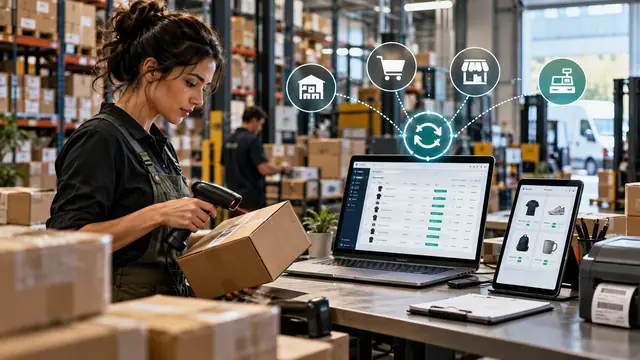
Orders are sent to the inventory system, and stock levels flow back to the shop.
Stock and integrations
How to keep WooCommerce stock up to date with your inventory management software: the source of truth, technical connection options, frequency, special cases and error monitoring.
We choose the right tool for each automation: low-code when it's enough, code when it's needed.
View the serviceWeb tools for internal processes, instead of spreadsheets and scattered messages.
View the serviceYour shop or CRM can issue invoices automatically, and submission to e-Factura (Romania’s national e-invoicing system) is tracked, with alerts on errors.
View the serviceTailor-made features, installed as a plugin or module, without modifying the platform's core.
View the serviceTell us what you need and we will propose a tailored solution, with a clear price.
