Business with many suppliers
Invoices in the email inbox are read and entered into the software, and unusual ones are flagged.
Incoming invoices are read, checked and entered into the accounts without retyping.
We set the price once we understand your requirements.
Invoices arrive by email or as PDFs. The system extracts the supplier, date, amounts and line items, compares them with the order or with past records and prepares them for posting, with exceptions flagged for human review.
A supplier invoice usually arrives as a PDF by email, and someone retypes it into the accounting software: supplier, date, amounts, VAT. The service reads these invoices for you, checks what can be checked and prepares the entry. Anything that looks odd is not entered quietly: it is set aside for a person.
We choose where the invoices come from: a mailbox or a folder. Only that location is read; we do not search the rest of your correspondence.
From each PDF, the supplier, number, date, amounts, VAT and, if needed, the line items are extracted. The result is a table, not an image.
Checks include, for example, the CUI, the total and the VAT, plus a search for duplicates and unusual amounts. A clean invoice moves on; a suspicious or unclear one waits for a colleague to review it.
Verified invoices are exported to your software, ready to be recorded. The accountant stays in control: they see what has come in and what is still to be decided.
Imagine an accounting firm that receives invoices for several clients in the same mailbox. The system separates them by company and prepares them for recording, and an invoice with the same number as a previous one is flagged before it is entered.
Automatic reading can make mistakes with poorly scanned or paper invoices, or ones with an unusual format, which is why uncertain fields and exceptions are checked by a person. Invoices contain personal and commercial data, so access to the mailbox and the results is given only to those who need it, in line with the GDPR. The export depends on the formats your accounting software accepts.
Businesses and accounting firms that receive dozens or hundreds of invoices a month and enter them by hand.
Invoices in the email inbox are read and entered into the software, and unusual ones are flagged.
Invoices from multiple clients are separated by company and prepared for posting.
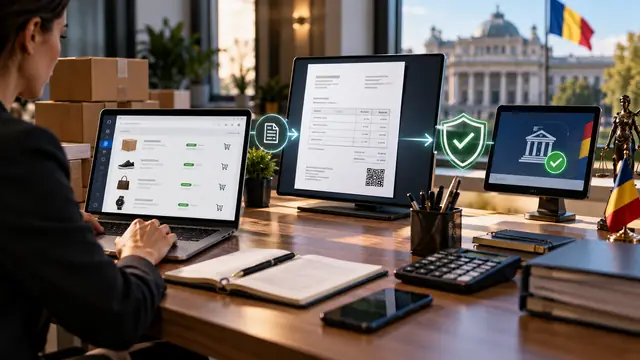
Invoicing and e-Factura
What RO e-Factura is, what the flow from order to submitted invoice looks like, what needs to be prepared, common errors and what can be automated, with the rules checked with ANAF and your accountant.
Bank receipts are matched to invoices automatically, and mismatches end up on a short list.
View the serviceScanned documents, PDFs and photos become structured data, ready to use in other programs.
View the serviceYour shop or CRM can issue invoices automatically, and submission to e-Factura (Romania’s national e-invoicing system) is tracked, with alerts on errors.
View the serviceTell us what you need and we will propose a tailored solution, with a clear price.
